
RadarDjin
Vehicle speed radar camera for iPhone.
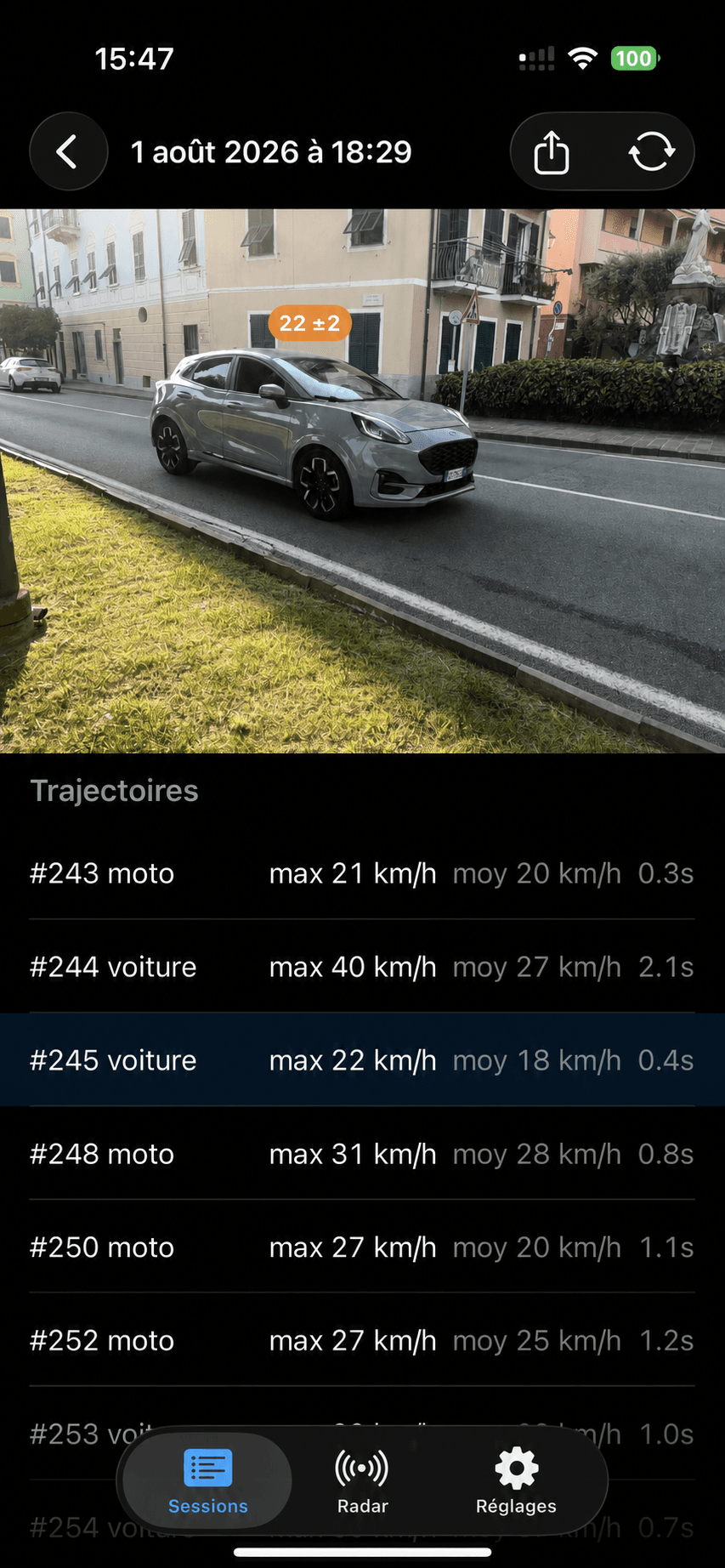
RadarDjin turns an iPhone into a portable speed radar for road traffic. Point the camera at vehicles and see live speed chips with uncertainty, record sessions, replay measurements, re-analyze locally, and export overlay video.
iOS 17+, ARKit-capable iPhone. LiDAR improves ground lock on supported devices.
RadarDjin provides speed estimates for informational and hobby use. It is not a certified measuring device and must not be used for law enforcement.
What it does
Live speed chips
Cars, trucks, buses, and motorcycles get per-vehicle speed readouts over the camera view, including uncertainty so readings stay honest.
Automatic scene lock
ARKit supplies camera pose and ground-plane context; LiDAR-assisted devices lock faster and more steadily when available.
Record, replay, export
Sessions store video plus measurement data. Replay re-renders the overlay, re-analysis can run locally, and exports burn the chips into shareable video.
Private by design
There are no accounts, analytics, ads, or app-owned network requests. Recordings stay on the user’s device unless they choose to share.
Measurement workflow
Capture
The app uses a live AR camera session and a CoreML YOLOX detector tuned for road vehicles.
Fuse
The measurement core combines ground-ray ranging, vehicle-size priors, multi-object tracking, and Kalman filtering.
Explain
The HUD shows lock state, confidence, km/h or mph, session peak, recording state, and per-reading uncertainty.
Engineering notes
Testable Swift core
The measurement engine is a pure Swift package with unit tests for ranging, tracking, speed estimation, session codecs, replay, and end-to-end simulated scenes.
Native app boundary
SwiftUI, ARKit, AVFoundation, CoreML, StoreKit, and permissions stay in the app target; math and session logic stay in the measurement core.
Freemium model
The app is designed as a free download with a 5-day full trial, a useful free tier, and a one-time unlock for unlimited clean sessions and exports.
Privacy model
- Detection and measurements run on the iPhone.
- Recorded sessions are local files.
- Location is optional and used to tag recorded sessions.
- Sharing only happens through the iOS share sheet when the user initiates it.